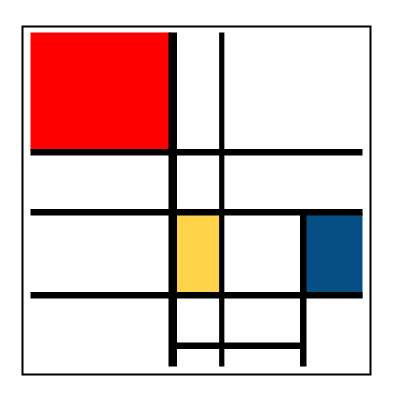
To start of our theme of 'Out of the Ordinary... Extraordinary!' in Visual Arts we have begun the term looking at the artist Piet Mondrian. It ties in nicely with our Geometry unit we are in the middle of and provides many opportunities to look at someone who created extraordinary artwork from the simplest things.
I always begin a visual art unit like this by looking at the artist in detail and compiling ideas on what the students think about the artwork. We also look at the elements that make up the artwork like colours, textures, mediums etc. Previously I have used websites like
Wallwisher to collect in prior thoughts as we look at the artwork. This has been really effective to gain an idea to what the students understand about the artwork and what they understand about the art techniques.
For this unit I began with a
wikispaces page set up with tasks for the students to complete. It gave them a chance to work alongside a buddy at their own pace to share their ideas and develop their understanding about the artwork and the artist.

Firstly I collected a range of images through google image search and tagged them as '
Mondrian' using
Delicious. Then I took the RSS feed for this tag (which can be found at the bottom of the page in
delicious) to embed it as a widget into the wiki page. This meant that any new tags placed in
delicious would automatically be fed into the wiki page and updated. This is great as it means not having to go back and embed/link up new pages all the time. I made sure that I stuck to just images for this tag to ensure that webpages and images didn't get mixed up. I wanted purely images for Task 1 - which was to look at images and examine the similarities about the different paintings.
The rest of the page allowed me to embed links and images for the students to work through. It allowed the students to work through a structure from introducing the artwork, to elements of the artwork and to finally creating their own example to share their understandings.
Introducing the artist using this format allowed the students to play around with a range of media e.g.
games, images and articles to find out more about the artist. Students paced themselves at their own pace and worked through this recording their findings in their visual art books and taking screen shots and saving work to the server. While students worked I was able to observe, pinpoint students who were having trouble, ask questions and problem solve alongside the students. The students really enjoyed being able to work through the wiki and experiment with different media.
The students repeated a similar process for
ANZAC Day. With different tasks and challenges being presented to them through the wiki which allowed them to experience a range of concepts around ANZAC Day. As there was such a huge range of knowledge levels around ANZAC Day this worked brilliantly as students worked in a different order for the things that interested them the most. Work was recorded using the
Discussions feature on the wiki page and their Reading books. What was really amazing about this was that a few students went home and continued their learning from home with a few posting to the discussion forum during the weekend, not bad since this was their first time using the discussion forum!
Images used:Mondrian Image: Wikimedia