Showing posts with label Independent Planning. Show all posts

Thursday, September 11, 2014

Digital Modelling Books - Part 2


This is Part 2 of the previous blog post detailing how I create digital modelling books.


My class setup is an apple TV and TV.  When I am working with a group I link my iPad to the TV via the apple TV through airplay.  This allows whatever is on the iPad to be shown on screen.  My go to app for modelling books has been the handwriting app Penultimate, because it is part of the Evernote family and easily links back to Evernote for keeping.  Penultimate allows you to keep handwritten notebooks of information, which can then be kept in the app or shared to a number of other apps/websites e.g. Google Drive etc.

Penultimate is basic and it's one of the things that I love about it.  It does it's job and does it well without trying to be overly complicated.  It has different coloured pens, eraser, cut, paste and different options for paper types.  Everything I need with no pointless extras.  Everything has a purpose and it serves it well!  It is one of my go to apps in a lot of areas.

Throughout the teaching workshop students and myself record key ideas, information, working out etc into our notebook and at the end of the session it is shared across from Penultimate to Evernote.  Because of the way I have it set up as being a shared notebook, it means that as soon as the Penultimate notebook is synced to Evernote the students can access it via our class website straight away.  This is a huge bonus for me, as the teacher, as I don't need to go back and post content, change it etc - it's available with minimum time.


Adding Content to Shared Evernote Notebooks

Open up Penultimate and it will ask you to sign in - this is to your Evernote account.  So you can enter the same details from your Evernote account above.  If it doesn't ask for this straight away click on the cog in the top left hand corner to link Penultimate to your Evernote account.

Now you are free to start a new notebook by clicking on the plus symbol in the bottom left hand corner.  It will open a new notebook for you to work in.  You will see the main tools, such as pens, eraser, cut, undo etc, down the right hand side.  Extra tools such as adding pictures, changing the paper type, sharing options and more down the left hand side of the screen.

Once you have completed working in the Penultimate notebook click on the home button which is on the top left hand side (it looks like a house).  This will return you to the home screen.  The next step is to share this notebook to Evernote and place it in the correct Evernote maths groups notebook.

The home screen in Penultimate is where you can access all of your Penultimate notebooks. To view them all scroll across to view the different notebooks you have. 
On the home screen you will see three options directly underneath the notebook you are working on or wanting to share.  Click on the first option for 'share' which then gives you the option to 'open in...'


Scroll across to the right and you will see an option for 'Open in Evernote' - click on this.


It will process your notebook into a PDF format and then open up Evernote with the following image.  This is your new note inside Evernote.  The PDF option you see inside the note area is your Penultimate notebook that you have just created.  On this screen you need to rename your note (the first line) and then also choose the notebook you would like it placed inside (the second line).  From here you can save your note and it will be accessible once you have synced your account.


While there are several steps to get these digital notebooks up and running, once you have them set up they are quick and easy to use.  I find that we are able to have a workshop and then have modelling books available straight after a workshop.  There has been a lot of trial and error of finding a way that digital modelling books work for my students.  We have trialled Google presentations and other formats but I am finding this is the easiest option that doesn't require a huge load of work and time to make it useable for the students and myself.  Once the initial setup was complete it has been easy to continue using the modelling books.

Remember, Evernote is the equivalent of a digital book - you can create notebooks and create individual notes that go inside your notebook, just like pages of a book.  This works the same when creating a digital modelling book.  In the case of these digital modelling books Penultimate creates the pages that go inside the Evernote modelling book.

Every time I open Penultimate for a new workshop I simply start a brand new Penultimate notebook by clicking on the plus symbol on the bottom left hand corner.  We add in the notes from our session and then when the workshop is complete I repeat the steps I have outlined above in 'Adding Content to Shared Notebook'.  Always check the second line to ensure that your note is going into your correct shared Evernote notebook, as it will always default to the last Evernote notebook you added content to.  This sounds confusing - but makes sense when you are adding content to your Evernote as you will see which of your groups notebooks it is going to be placed into.

When the students click on the link from our class google site it shows up the whole notebook with all of the workshop notes inside (like in the image below).  Students can easily locate the workshop and click to see all the notes we took as part of that session - exactly as it would be for a paper modelling book.  The accessibility from a range of devices and places and for a number of people at the same time means that it far outweighs the 1 in class paper modelling book I had previously been using.


Digital Modelling Books - Part 1

I have been trialling digital modelling books for mathematics with my students and they seem to be working really well for both my students and my self.  There are a number of key elements that make up this system and in this blog post I will outline the system I am using.  If you are new to using Evernote you may want to have a look at a previous presentation I shared at a mobile learning conference.  It gives you a bit of background as to what it is, however, if in doubt please leave a comment and I will help you out!

Evernote is the equivalent of a digital notebook - you can create notebooks and create individual notes that go inside your notebook, just like pages of a book.

4 main components I use to create digital modelling books:
1. Apple TV with an iPad
2. Penultimate app
3. Evernote app and online/desktop version

Setting up Shared Evernote Notebooks:

Notebooks in Evernote are private by default - this allows for your notes to only be seen by you.  However there are options to share these notebooks and to allow others to work on notebooks as well.  The last option is a paid feature of Evernote.  All the steps I talk about below are able to be completed with a free Evernote account and free Penultimate app.

Firstly, in our class Evernote account, I set up a notebook for each of my groups, for example; maths groups.  Notebooks are able to be created on both the app and online, however, I prefer to do this part through Evernote on a browser or the desktop version.  These notebooks are set up in our class Evernote account - we have 1 shared account for my entire class that we all use.

Once a notebook has been set up for each group, I set up a shared link for each of the notebooks that I want to have public access to.  To do this hover over the notebook and choose the share icon (there are a number of ways to do this):


It gives you several options to choose from - choose the last option: Publish. 
This allows people to access your Evernote notebook if they have the link.


It will take you to a new pop up window and the final step is to copy the Public URL - this is what I use so students are able to access the notebooks from our class website.  

These notebooks are accessed by my students through our class google site - so from here I copy the link and paste it on our maths area on our google site.  This makes our maths content accessible from one place for my students from home and school.  It allows them to easily find the information and support that they need.  Also parents can access them to support students with their learning.

If you are going to send students directly to this URL you may want to use a web link shortening service like bit.ly to make the link more accessible for students as the link Evernote provides is very long.


Your final step here is to open up Penultimate and link the app to your Evernote account.  To do this click on the 'Settings' button in the top left hand corner and add your Evernote account details.  Once they are linked you will not have to do this again, unless you sign out.

You don't need to worry too much about your Evernote notebooks again until right at the end.  When you share your Penultimate notes to Evernote it will give you an option to choose the Evernote notebook you want to place the note into.

The next post will detail how to use Penultimate as your modelling books and then share these notes across to your Evernote notebooks to make them immediately accessible for your students.


Sunday, August 31, 2014

Term 3 Reflection - PML

PML (Planning My Learning) has changed a little bit - we have made changes to the structure of the board and moved it off the whiteboard.  It just was time for it to change.  I was finding the students were becoming more and more focussed on quantity rather than quality - it was about how many ticks were up on the board rather than the quality and time spent.  So, armed with information from a conversation with the students, we made 2 changes to the PML system (in my head I have 100 - but we have to start somewhere!)

1. Quality Reflective Buddies - when we spoke about the problem of 'quality vs quantity' the students agreed - they were focussed on 'getting through' the list rather than pushing the boundaries of their learning.  It was a great conversation and gave me insights in lots of ways.  The students came up with 2 main solutions:
- Go back to the old way of working in blocks and everyone doing the same thing at the same time
- Have a person to meet with to share if your work is quality or not

Interestingly, the first idea came from a student who I know finds the challenge of planning his day more difficult, but when this was put to the class it was overwhelmingly challenged out (26-2).  I'll be talking more with those 2 students to see how I can support them in developing their learning priorities.
The second idea is the one we have gone with - QLP  or Quality Learning Partners.  We had lots of discussion around how this could work. In the end I suggested stopping 15 minutes prior to the end of the day, so you could meet with your buddy and discuss your work, feed back, next steps etc.  This is where we have started.  The students then had the option to choose their own partner or to have some support from me to choose one.  We had to discuss being able to be supported and open and honest with the person you choose.  If you felt like you couldn't say 'hey, you need to go back and work on... to make this better' they probably weren't the person to be your QLP.

2. Leaving the Whiteboard - previously PML has been completed on the whiteboard.  The students know I personally disliked this system, I shared this with them and the why I disliked it.  But, I am not the one who has to work from it - so we carried on with it.  As the term has progressed I have heard snippets of conversations as students tick off their work schedule for the day and these conversations led me to setting up a new full wall with the system on it.  When introduced to the students I shared with them conversations and things that I had changed because of what I had heard.  That it was these things that made the decision to make the change - I then asked if they would like to use it and the kids were keen! (Phew - there were a lot of lines to stick up and staple!)  However, I knew many of my kids would need to see it before they would understand it.

One of my students then asked the question I had been waiting for - "how will we tick to say we have worked on it?"  "Great question" I replied... "How will we?"  This led to 6 students taking on the construction of a system that we could use on the PML wall to show a range of learning happening.  The last step was to share these with the rest of the class and then the students decided on voting for their favourite symbols that we will use.

It was great to see a range of ideas being put forward that showed students were really keen to push quality over quantity with the refined system.


Writing has continued to develop based on need and interested rather than a genre.  This week we were responding to a trip that we had to the Maritime Museum last week.  We chose Newspaper Reports, Letters or a Recount.  The students then signed up to the genre that they needed or wanted to write on.  3 different workshops then ran throughout the week and I continue to find the kids more engaged in their writing in this way.

There are a few challenges I need to work on...
1. Tracking the genres they choose.  I'm thinking I will create a genres checklist that they can tick when they have completed a finished piece of writing in that genre.  It will help them know more about the genres and what is out there also.
2. Creating/Finding/Sourcing/Using realistic, hands on and real life writing experiences that will foster the interest and passion of writing.  Also fitting these into the daily life of a classroom.  I have had a great conversation with the Year 2 teacher next door talking about how we may be able to both use this as a benefit to both our kids with their writing.  More to reflect and think about here.

There are so many ideas, challenges and thoughts currently roaming around in my head that 'where to start' is often a daily challenge for me at the moment.  My students have come a long way in concepts of knowing more about them as learners, having a voice within the classroom and making steps to be independent within their learning.  But there is so much more that I want to challenge them and myself on.

My office buddy and I have great conversations on a daily basis - reflecting on our day, our learners, our teaching and our classrooms and I feel like those conversations help to clarify decisions that are made.  I'm very lucky that we have younger students next door that provide a challenge and a platform for my students to be role models and teachers to them.  At the moment we are continuing to explore how we can develop our space for our students further.  This week we are beginning the younger students in planning and teaching workshops for the Year 2 and Year 5/6 students.  I am looking forward to seeing how these develop over the rest of the term.

Each day I struggle more and more with the constraints of what traditional education.  We can voice that we want ownership, student voice, self management, self-direction - but how does that actually work in the everyday education world with tests, assessments and standards?  It's a big question.  I'm ridiculously lucky in where I teach - I am trusted as a professional to make professional choices that best work because of my teaching knowledge, knowledge of my students and their learning.

There is so much that works about PML and the structure of my class but I know that it is not the end point of what I want the concept of school and learning to look and be like for my students.  This week the first of my students for the year got underway with DRIVE Time projects - which are personal learning tasks driven by their passions/needs.  There are lots of readings and thinking behind the way this is structured and was developed with a group of kids last year, based on these thoughts.  DRIVE is about students owning their learning and making those decisions.  At the heart is what learning actually is, our school values and school negotiated learning values as a teacher point hinge.  This is the big point of where I would like to get to with my students across a more full time range.  We (my students and I) are getting there... slowly... with careful thought and reflection... in time.

Monday, June 2, 2014

PML 2014 - Tracking our Learning

PML is short for Plan My Learning, which is a phrase we use in Room 12 to explain how learners organise their daily learning tasks - the term was adopted from my amazing office buddy and team leader Kristyn a few years ago.  During class time from the beginning of the day to around lunch time students plan their learning PML style - this is where they plan in what they are learning and when they are learning it.  This means that at any one time in the classroom you could see students reading, working on maths, typing, writing, playing games, running workshops and more.  While students plan their learning, I run group and 1-1 workshops for students in specific teaching areas for them.  Sometimes these workshops are ability based and sometimes they work based on students goals and needs.

It's a huge system that takes a lot of time to establish in the classroom, but one that I am now convinced allows for a huge amount of self management and student voice.  I have watched students take more ownership in their learning and choices through running the classroom in this way.  Students are beginning to take up more opportunities to lead their learning and others' learning.  We have a year 2 classroom next door and we have worked a lot with them to support the philosophy of 'Tuakana/Teina' in our classrooms and this is one that KW and I are continuing to reflect on and challenge.  PML allows students time to run workshops and work with each other in a range of ways.

PML in 2014 had a rough start - my students were not in the same space as previous classes I have worked with, so systems that have worked before at the beginning of the year, didn't work so well.  It required a lot of reflection, deep thinking and change from me.  It was clear that the students needed and still need to develop their self management and reflective skills - which are 2 core areas we are currently continuing to work on.   Through a lot of conversations and reflections with the students we have now created a system that is working well for the students and myself.  This comes from time, reflection and conversations with the students - no other way.  In this post and the following posts (as there is so much to this post I have split it!)  I will explain and reflect on what has and is happening with PML this year.

Tracking Learning
At the beginning of the year we were using daily planners.  These were piece of paper with a whole week timetable on them.  Students would take what they had to complete for the week and plot this in throughout the week.  Lots of students struggled with this and we soon realised it wasn't working, so after much discussion decided to try a To Do styled list.  This was more suited to the class but again students were having problems as they disliked carrying their planning notebook around with them, they would forget to tick things they had completed off and a raft of other problems.  We sat down as a class and talked about what wasn't working and why.  Some students who I have again this year suggested using the format that we had used the previous year - the students were keen.  It is a large whiteboard set up with room for each student to tick off their tasks for the week and a space for them to add any extras they had worked on.  We continued to use the language of 'Learning Priorities' - the things that were the most important to them for their learning and 'Learning Possibilities' - other learning tasks they could undertake.  The language we chose was important to the students.  The whiteboard system has been a hit again this year as students felt there was more ownership to be taken as what they were doing was out there for all to see.  I am not such a fan of the system, however, it allows me to see students who are finding tasks difficult or not getting through their tasks for the week and gives me a conversation starter to chat to them about their learning for the week.  Though I'm not a fan of it, I know that it is my students who use it on a daily basis - so it doesn't really matter what I think, as long as it is working for them!

I have 3 students who work in different ways.  2 students use magazine boxes to track their learning on a daily basis, rather than weekly basis and 1 student who dislikes the whiteboard system but the To Do list was perfect for her.  So at the start of the week, she creates her own To Do list in her notebook and she is away.  The greatest thing about that is that she is starting to learn about what she needs to manage her workload and a way she can prioritise those things.  Students with devices have begun to ask about planning on these and again this is a next step for us to find the best way that works for them.

At the beginning of the week we set up our 'Learning Priorities' on the whiteboard list - we have some consistent learning priorities then other ones that pop up as part of our weekly learning.  Our more consistent learning tasks are DEAR (Silent reading), Maths work, Reading challenge, Basic Facts Practice, Maori Practice and Writing.  Students have the opportunity to work on their specific goals or learning within each of these areas.  Once these are set up and spoken about the students break off into their chosen Learning Priority.  Over the last few weeks I have seen a real trend of students choosing to do DEAR at the beginning of the day - so we have an almost unusual silence that descends on the class during this time.

Tracking learning is more about the students being able to see what they are doing and how they are using their time during the week.  It has allowed me to have a range of learning conversations with kids that contain strong evidence of how they are going with managing themselves, time and resources to complete what is expected.  The skills that this entails are life long skills that as adults we strive to have. Managing our time, resources, skills, people and more are all small elements of PML that the students have to utilise on a daily basis.  Students sometimes don't meet the target for the week and through their personal reflections you begin to see why this may have happened.  On the whiteboard it may look like a student hasn't completed much - but then you can see that they have actually chosen to spend more time on completing a set task to a higher standard than they did previously.  The first time always takes longer.  First glance at our whiteboard doesn't always tell the whole story!

As part of being able to plan their week students need to see the big picture of what's happening in class.  So for this reason students don't just see a what's on today - but rather a whole week view of what is happening in class.  This allows the students to see what time they have for PML and when we have other events that may interfere with this.  It is also teaching them about flexibility as sometimes planning a week in advance means that things change or don't happen in the same way.  That they need to be prepared for this!  The way that the weekly whiteboard has changed over the year so far is that there is more time set aside for iNeed workshops - which are student chosen workshops based on needs (I will explain these more in another post).  The hardest thing seems to be that now that students have the ability to opt in and ask for these sessions - the more they want of them.  Which is great, but a hard balance when there are still group sessions that need to be fit in!  There are still a group of students who don't ask for iNeed workshops or haven't seen the relevance for them, which is something I am currently reflecting on as to why they might not be asking for these.

This was our whiteboard earlier in the year - same format but very different now!
In following posts I will share and reflect on the other key elements of PML such as students knowing their learning, student voice and reflection.  These all place a integral part in the way the classroom is structured.


Saturday, May 31, 2014

Immersion Week

Our big theme this term is 'Dream It, Think It, Do It!' so KW and I designed a week of immersion which allowed our students to be involved in a range of ideas and topics to allow us to negotiate the learning path with our students.  In our school we work in pods - this year my pod of 4 classroom consists of 2 Year 2 classes, 1 Year 1 class and my own year 5/6 class.  KW and I planned a range of learning opportunities and also within our immersion week we held 4 sessions where each teacher from our pod took a different immersion session where we split our students up within the 4 groups.  Within this pod time we saw students take on game making, drama, modifying sports and hat creation challenges that saw them working within different aspects of creativity.

For the rest of the week KW and I planned immersion learning opportunities for our Year 2 and Year 5/6 students to be working alongside each other.  Each activity was carefully planned to allow students to work within 6 main dispositions to develop their understanding of 'Dream It, Think It, Do It!'  We identified 'flexibility, risk taking, creativity, thoughtfulness, thinking and challenge' as our key dispositions and these became our focus of conversations and reflections with the students throughout the week.

Our first challenge for the week was simple in spirit but provided a wealth of information for us, as teachers.  We collected as many boxes and bits that we could find.  Large, medium, small and more... we had them all!  From this we started with very little instructions... choose some boxes - create something!  This was to give us a range of information about our students! We were expecting some far our creations, but found we had very 'normal' creations - a house, a bus, a rocket ship.  It allowed us to see that risk-taking for our students is a key disposition.  So after a lot of discussion, we decided to set up a 'ninja cave' the next morning.  This was a huge hit for the students the next morning when they came in to find it - it ended up morphing throughout the weekend to become more and more challenging each morning.  It was through our 'ninja cave' that we were able to have an amazing conversation around risk-taking and what that entails.


We discussed what makes risk-taking harder and examined elements such as 'when people are watching' the risk level can go up.  Our principal arrived on the tail end of this conversation and was then invited to take the risk.  The kids were more than stoked to see their principal go through the 'Ninja cave' and supported him with a huge cheer and pakipaki at the end.


The biggest learning curve for most students was the concept of 'guerrilla knitting' or yarn bombing.  The idea being a semi-permanent form of street art that changes the street side from the drab into the colourful.  It's the concept of creativity for giving and thoughtfulness that we were working with through this learning experience.  So we headed out to our school fence with balls of wool and got to work to create our rather plain looking school fence into a work of art.  The students worked in pairs - 1 Year 5 or 6 student with 1 Year 2 student and began with small hearts.  However, students soon wanted to try different patterns and designs and got more enthusiastic as they saw the fence take shape.  We ended up with some diamonds, larger hearts, S and L shapes.  Unfortunately time and weather was a factor for us and we have both spoken about heading out with our classes to work on these again.  The concept of their own creativity for giving was one that was talked about over and over again during the week.


The coolest element of this was the reaction they saw from their peers, teachers and families.  On Friday we arrived back to class to an awesome letter.  This letter now has pride of place in both our classrooms on our door - so everyone entering can read it!


These are just a selection of the learning experiences we developed as part of our immersion week with our students.  We also designed playgrounds, made marble runs and more.  It allowed the students a wide range of experiences and allowed us to see where our students interests and passions lay for our next steps of the negotiated learning path.  I really enjoyed collaborating and planning with KW and it allowed us to each draw on our own experiences and strengths.  I learnt a lot from working more closely with her and it was great being able to sit down at the end of each day and reflect on what we saw for each of our kids.

At the end of the week we used the Kath Murdoch 'Learning Wheel' as a reflection tool for the week to help us decide where our next steps were and the guerilla knitting was a firm favourite.  From our Learning Wheel reflections and conversations my class have chosen to go down the path of investigating 'how my creativity can benefit others'.  I'm really looking forward to seeing where we go with this!


Thursday, May 8, 2014

BYOD in the Classroom

At the BYOD day in the holidays I had the pleasure of presenting with my colleague Jessicca Vidal on BYOD in the Classroom.

During the session we shared the organisation of our classrooms and where the design for our classrooms comes from.  We then shared how to support students with BYOD, why we choose particular tools and how to get underway with BYOD in the classroom.  During the final part of our presentation we shared some examples of different tools we use to support learning.

Thursday, February 7, 2013

A New Bridge to Cross...


A new year and a new set of challenges.  In the past few years I have been spoilt by sharing an office with a person who can reflect, discuss, inspire and challenge myself with on a daily basis.  I've had the chance to work alongside them as a team member and in the classroom.  I feel that in the last few years some strong pedagogical ideas and changes have happened in my teaching and in the way I learn.  Many of these shifts have taken place by having a person who wants to challenge, change and examine the way the classroom looks on a daily basis.

Before this, my place of reflection - this blog was the place I came to, to reflect and think about my practice and ideas. To share my learning and pass on the process.  It's amazing how a place of reflection - whether it be a person or a place - makes a difference to your pedagogy.

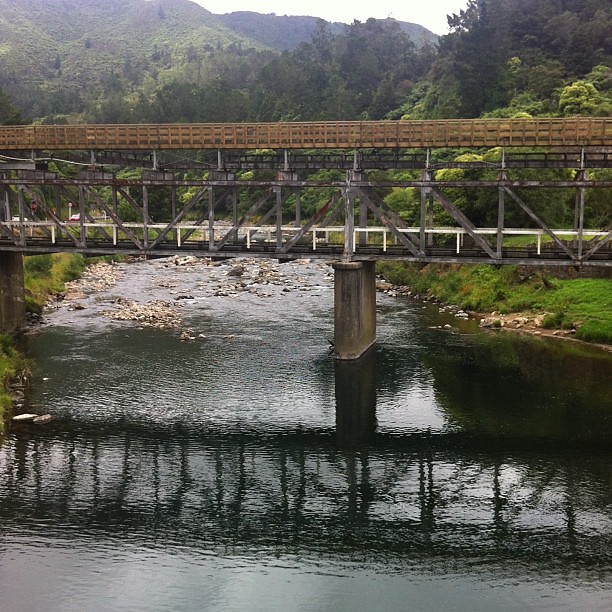
So my blog has sat at the side of the bridge - waiting for me, while I made new discoveries and changes in thought.  The time has come to make my way back on to the bridge - a place that has helped me gain friends and colleagues from around NZ.  The bridge that always takes me on the same familiar journey but also leads me to places of new surprises and sights.

I have loads to share and think about from the range of professional readings, tweets and conferences I have had the pleasure of attending.  Over the last short while I have had attended educamps around NZ, uLearn in Auckland and the International Thinking Conference in Wellington.  I have been able to take many things away from these conferences and also find a way to connect small ideas together that will make big changes in my understandings and teaching.

This year I also am taking on new challenges in my professional life - leading a team of talented teachers.  Taking on leadership and working towards creating a shared environment where we, as a team, can work together to be a support network for each other is my aim.  To become a strong professional learning house, sharing our pedagogy, triumphs and challenges.  I have a lot to learn and am looking forward to the year ahead.

In my classroom I am continuing to develop my passion and interest for negotiated learning in the classroom.  Students developing their self managing skills and autonomy in the classroom.  Last year saw some strong developments for myself in the way that this could be structured in the class.  Many of these changes came from reflections with the students about how they want their learning to look.  This year it will change and develop further with the different learners and needs I have within my classroom.  My passion for the integration of eLearning and mobile devices will continue with a strong basis in supporting the learning and learners in the classroom.  Examining the way student voice can be shared to understand that my students can have an audience as big as the world.

So... welcome to the place where I begin my journey back across the bridge - to the familiar place with familiar places but also lots of new sights and people.  I hope you will take part and have conversations with me in different places.  Challenge my thinking/ideas and share your own!


Photo used under CC: Heymilly


Wednesday, July 18, 2012

Independent Planner Reflection

We have a range of learning spaces in our class which provide the students with a chance to decide where they learn. Tall tables to keep an eye on the class, bean bags to slouch in, individual tables/spaces to work solo through to group tables that allow small to larger groups to work and learn together.  It's been great to have the opportunity to watch students learn about what best works for them. Some subjects students prefer the hustle and bustle of group learning spaces and then other subjects they prefer to work on their own.  If students know they have a lot of work to complete they often move themselves to the right space for them.  It's been a great learning curve for myself and students.

Over the last term and a bit I have been working with my class of Year 5/6 students to plan their learning at the beginning of the day.  Thus giving them a chance to decide when in the day their best learning happens.

A natural progression for the learners was to move into independent timetables.  Though these are still a transition point.  Everyday we discover a new way of doing these or small changes that help make this work.  At the moment we plan on paper - day by day for the week to allow for changes each day.  We have learnt to be increasingly flexible and work with what each day throws at us!

A few students plan on their iPod touch using the calendar feature and this works well for them.  The planning at the start of the day allows the students to locate other students they would like to work with and to decide when their best learning happens and how.  For some, this means getting the task they like the most completed first while for others it allows them to plan in more time for a task they know takes them a bit longer than what I would be able to allow them in a more structured setting.

Students work on a 'Must Do' and 'Can Do' system - where Must Do tasks are listed for their group - Maths, Reading and sometimes Writing.  The 'Must Do' tasks MUST be completed by the end of the day and the 'Can Do' tasks allow for early finishers, other learning focuses or tasks that need to be completed.  This means that at one time in the class students could be working on Xtramath, Brain Box sheets, reading to self, writing, completing reading tasks, filming, working with the teacher or any other variety of learning tasks.

At the start of the day the workshops are listed on the class planner.  At the moment workshops are offered by groups moving soon in to needs as well.  Each morning the student looks at the class planner to see what is on and when during the day will be independent planning time.  They also need to check here to see when their teaching workshop is.  They then check their group 'Must Do's' and 'Can Do's' and plan in their activities from here.

For some the planning of their learning came easily - it worked well for them.  For other students they have required lots of checking in, reflection and conversations to help guide them on their way.  It has required a lot of time and discussion as a class about what behaviours and attitudes we need to show and have to make it work in a respectful way for each other.  It's a huge ask - but they are doing it and on asking my students what they would prefer.... hands down, independent planners are their choice.

One of the hardest things with the planners were students perception of time and time it would take to complete a task.  Many would plan in unrealistic time frames - either too small or too big to complete tasks.  This has been one of the hardest elements to develop in planning.  We are moving towards more of a 'To Do List' type planning.  Where the students list what they need to do and then add it to their planner when they have completed it.  Knowing what they need to do and their timeframe could be a better way to plan the day for them.  As adults this is generally the way we would go around planning our own learning - so it could be a more natural way of working through this.  Especially for those students that find the time management harder to keep?

This has required a lot of big picture thinking combined with a lot of finer detail thinking and planning. The students enjoy it and it's great seeing learning conversations happen in the morning where students plan to meet up and complete tasks together - knowing that they work well in pairs or groups. There is still a long way to go but the changes and ideas that have formed from this have been great. I've been exceptionally lucky to share an office and a learning space with a very passionate teacher who is on a similar journey of independent learning with her students.  We have had some amazing conversations about the challenges and the successes of this style of classroom.  Without these conversations and a great thinker to learn alongside the process would have been more challenging. So, I'm very thankful for that opportunity.

Below I have attached links to free downloads for our planners that the students use.  These have been refined and developed as we have gone along.  They refinement and changes have come from the students.  Some like the space to plan while other find knowing 20 minute blocks more manageable to plan within.

20 Minute Planner

Open Spaces Planner

Ten minutes before lunch we get together and reflect on our learning - plan in for the next day any learning that we haven't completed.  The students can also plan with other students if they know they need some help or to work on something together.

We have a long way to go - but I'm proud of how far the students have come.  I'm really happy with the journey we've made


Featured Posts