Showing posts with label lats09. Show all posts

Saturday, February 28, 2009

Learning@School


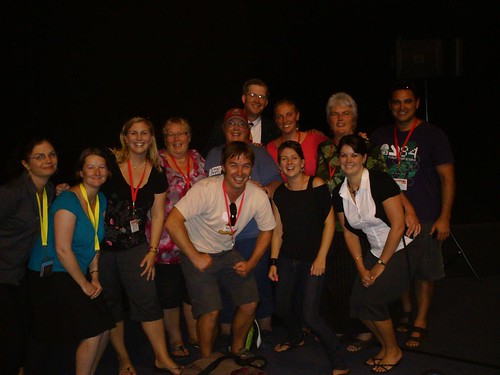
The people in this pic are a fantastic crowd of people who have taught me many, many things in the past few years.

Twitter and blogging are powerful tools - more to come on this. A huge thanks to all these wonderful people (plus a bunch of people not in this photo) for making this another worthwhile conference! It was, as always, a huge honor to share thoughts, ideas, jokes and many good times with these guys at L@S '09.

L@S reflections to come...

Photo taken from L@S blog - thanks to Jane Nicholls.

Friday, February 27, 2009

Breakout 7

Effective ICT Planning

Dominion Road School

Old stuff: skills/nothing
Skills stages based on three stages: getting started/exploring/extending stages
Broken up in to areas such as software/multimeda etc

Skills were isolated

Developed to ICT unit plans next.
Stand alone plans.
Plans covered: Learning Intentions/KC/I/Learning experiences/Assessment
Gave teachers focus - allowed for reassurance for unsure teachers.
Made ICT a standalone thing.

ICT overview next
You don't have to do them all - but have programmes and tasks that were to be completed in each term. PD provided based on certain things.
Teams then planned to incorporate what they wanted into their term plans.
No freedom to allow - what happens if it doesn't fit with what you want to do?
Still not fitting with what is happening - still stand alone.

Planning still not utilising ICT as a tool.

Filters4thinking.

ICT to enhance conditions for brining in ideas: youtube/kid pix/linksw etc
Developing and enhancing - looking at each of the LIs
Teachers take ownership over the ICT implementation.
Teachers are stepping outside the square and the teachers are becoming more open.

Skills = no substance

Language of SOLO

Hyperlink from plans to skill videos etc
Apple tutorials and how to's e.g. iLife '09

The why for coverage?

ICT to enhance conditions for learning

Paint.net - windows

Sharing the ideas - planning ideas as a whole school.
Working with all the syndicates.
Choose the element from the list that works for you and your room.

Allows for specific PD for those teachers.

Retrospective planning.

Identifying elements that work for specific planning and equipment that they have.

Quality vs quantity of coverage.

Do your students know how to choose an ICT to help develop ideas and find the right tool to make this happen. Can my kids bring in 2 different ways to link ICTs to learning. - Pam

Give students your learning intention and kids plan elements of ICT to incorporate.

We are learning to describe the groups we belong to and why they are important....
ICT to enhance conditions for learning:

* Kidspiration mapping
* Picture libraries - visual language - defining groups by images
* Voicethread - prior thoughts on groups based on images
* Photos of themselves - what they want to belong to.
* iMovie - what it looks like e.g. speaking politely to others

See L@S presentation for more.

Thursday, February 26, 2009

Networking & PLNs


Learning@Schools is a great chance to connect with a tonne of people from my Personal Learning Networks (PLN) such as OZ/NZ meetings, twitter, blogging and more. The connections I have outside of school are powerful for me as they keep challenging me in my thinking and practice as a teacher and specialist. A HUGE thanks to all those in my PLN!!


@mrw00dy @Allanahk @Dragon09 @dragonsinger57

Breakout 4 - Engage vs Involve


2Touch - Engage vs Involve
Notes from breakout 4 - thoughts in italics.
Manzana


Engage - can be engaged but not active particpant
Involve - students have ownership

Waste of time preparing alot of lessons.
Students having more ownership in making lessons and creating lessons.

Asking questions vs delivering information.

More spontaneous.

More time in background questions etc

Prompts through core collection of prompts - videos, hyperlinks etc

Performance style - students being up front, in front of peers. Pressure/Risk taking.
Participation in front of peers.
(How does this work when students are still seen with the optivote - how is this low risk??)

Responses can be seen or be anon when voting with optivote.
Give a quick quiz on previous session - good feedback.
Becomes part of the session.

optivote.com - voting system.
wordwall - pc version only - wordpad voting system being developed.

Clicker systems via Manzana website.

Competition element - good for boys.

Collaboration through sharing and working on ideas.
Wordwall concept developed into IWB (Wordwallweb)

Wordwall linked to google images.

Concept question - 40-50 minutes.
Responding and interacting with others based on this.

Closed vs open questions capabilities of voting systems.
Watched a video that spoke of still having possible anxiety in getting th answer right.

Active Participation.

**
Review of 2Touch from Visible Procrastinations

Keynote: Pam Hooks


Pam Hooks was Keynote #2 at Learning@School '09.
These are my notes from a great second keynote.


Learning only really happens with teaching and only happens at school <- challenge to this notion and idea. When it's not going well in the institution people think we should - get rid of school, rid of teachers, denial etc Teachers are people given authority by the institution...

ICTs allow young people to bypass the teacher altogether Should we tilt at schools without teachers - workshops and experts to develop passions - a school based on this theory

John Hattie - Visible Learning, 2009 - Read a part here

Who is the e-learning happening for? Does it harm some of the learning?

Technology distancing us

5 years - compulsory teaching - 20% not reaching this

No valid justification based on learning styles, brain learning etc

What are we critical of and what are we thinking about.

Using evidence to make learning happen.

Teacher as an activator rather than a facilitator. Shows more effectiveness as an activator than a facilitator .

What will it take to have a profession that moves from anecdote teaching to evidence teaching.

What is the best place to learn in?

GSCE in 60 minutes?

Kids assessment through identity - blog comment streams?

Clarity from the NZ Curriculum - wiki and nz curriculum wiki

Blurred ideas on what learning is - what is learning to the students?
How are we helping students look at themselves and where they are and where they are going next?

SOLO taxonomy - deep understanding. Explicit framework.
Model of learning for asTTle and e-asTTle

Not enough to understand the learning outcome - they must understand a common language of learning.

Placing and coding strategies against learning outcomes. SOLO.
Pick up ICTs and fitting them in after the learning is set.

Wednesday, February 25, 2009

Breakout 2 - 5 Frame Storytelling

Today was a learning curve and an awesome oportunity all rolled in to one. I presented my first hands on session at a conference. It went pretty well and the feedback was positive, but there are many things I will take away from the session to improve from for the next session.

It was really cool to see 30 people who I didn't know and who were at different levels, go through the process and complete their own 5 frame stories.


Here are a few examples of stories completed in the session:

Don't Play On The Stairs
by Notsotiny
Don't Cry Wolf by ninabooth12
5 Frame by Kingbev65
Run Down By A Duck by jenniferf
Monkey Defies Gravity by swendt2009

Head along to the 5 frame group to see more of the images and discussions posted by those that attended. Take them back to class and use them with your kids!

There are heaps of resources up on my wiki including my presentation, links and downloads to support implementing 5 Frame Digital Storytelling in the class.

One of the points brought up in feedback was that it for those that were more competent it was hard for them to have to wait for others - this is a valid point. But unfortunately one that's hard to get around with handson presentations with a range of people. Any ideas in regards to this would be appreciated.

When I present again...

I won't be using sharetabs - this is a good tool to send multiple links but for those with multiple tabs they got a bit confused as to where they were and what window.

I will overplan - as I did - but try not to squash too much in. It's ok to leave some stuff out!

I will present with someone else, so that those who are more confident have a little less wait time as I make my way around.

All in all a great experience and I would encourage more people to take part in sharing their learning with others at upcoming conferences such as ULearn 09.

Tony Ryans Digital Pedagogies - Breakout #1

** People Bingo

The Hug Shirt - CuteCircuit and TIME Best invention 2006

The dialogue is the key.
Anything you need for the year will be at this conference - you just need to find out who that person is. The technologies are critical to be able to find those people.

** Clock Partners

The big 4 learning support frameworks:
Curriculum
Pedagogy
Assessment
Reporting

Pedagogy is the hardest and therefore the weakness.

How is this going to look in 2012/2015 - This is a digital format.

Digital Curriculum
Digital Pedagogy
Digital Assessment & Reporting
Digital Learning Spaces

- How are we and what are we assessing with these collaborations that are happening?

Digital pedagogy
20th C - behaviourist/constructivist/cognitivist?
21st C - constructivist/meta-constructivist/connectivism?

Top thinkers working in a meta way - watching themselves in an outside manner and regulating and thinking about what is going on. Self-talk: what is going on here - what am i doing - what can i do etc

The Sky Is Blue - speaking in their head and saying this. Teaching this to students - being aware of self.

Connectivism is the most intriguing learning theory.

All in this together - digital environments are going to help this.

If you employ digital learning processes, they must advance student learning. Otherwise, why bother?

How does this advance the educational rigour?

It's all about the learning - the learning is first then other things are built in.
Sometimes you don't know that the tool will support the learning though.

Coding for the quality of each pedagogy

** Digital Pedagogies Sheet

Its not the application that drives the learning it's the elements
The core purposes/elements drive the learning

Key Competencies
- Consistent research
- Criteria sheet and code your practice
- Develop a range of quality teaching strategies and build them into daily practice

Practical Ideas For Everyday Teaching
- Focus on KC
- Develop a strategies matrix
- Introduce a strategy a week

Video yourself teaching - when was the last time you filmed yourself.

Inquiry Based Digital Applications
- A blog for explaining your thinking during a study
- Researching, creating and video that will get a million hits on youtube.
WSCH - Charlie Bit My Finger
- Music created from countries around the world

Travel experiences in 2nd Life
How has a blog impacted on life?

Essential Questions for the Key Competencies

Techno-dilemmas:
younger people have more time
techno skillset in the Net Gen is variable
mindset is consistently supportive of new tech
ict embedded in learning - deeply
teacher-learning dynamic is changed

Tech Luddites
Negative view of technology

Tech Neutrals
Don't like to be pushed

Tech Initiators
Open mind to new possibilities

Changing with the Digital Times
Denial - its got nothing to do with me
Resistance - why do i have to go this?
Adaption - hmmm 'll give it a go
Involvement - hold me back

Similar to the grief process - new learning requires letting go of old ideas.

Delicious
Stumple Upon

Sustaining things..
Re-visit
Ideas into practice

Clarify the 3 ideas / concepts / strategies that has most resonated with you so far today?

Coaching - teacher-teacher, teacher-students, students-students, blogs, etc

Sustaining GREAT practice
Savour the year

Links:
Conference handouts
Tony Ryan

Learning @ School

Here we are for another round of Learning@Schools. It was awesome to catch up with a few people last night at the presenters reception and i'm sure there are many more people to catch up with and meet in the following three days.

Make sure you head down to the bloggers cafe near the Breathe stand and come meet a bunch of amazing people who are willing to share ideas and help you out. There will be much more to come, so stay posted!

Featured Posts